 Home & Kitchen
 Electronics
 Tools & Home Improvement
 Patio & Garden
 Toys & Games
 Sports & Outdoors
 Automotive
 Appliances
 Beauty & Personal Care
 Health & Household
 Grocery & Gourmet Food
 Office & School
 9 product images
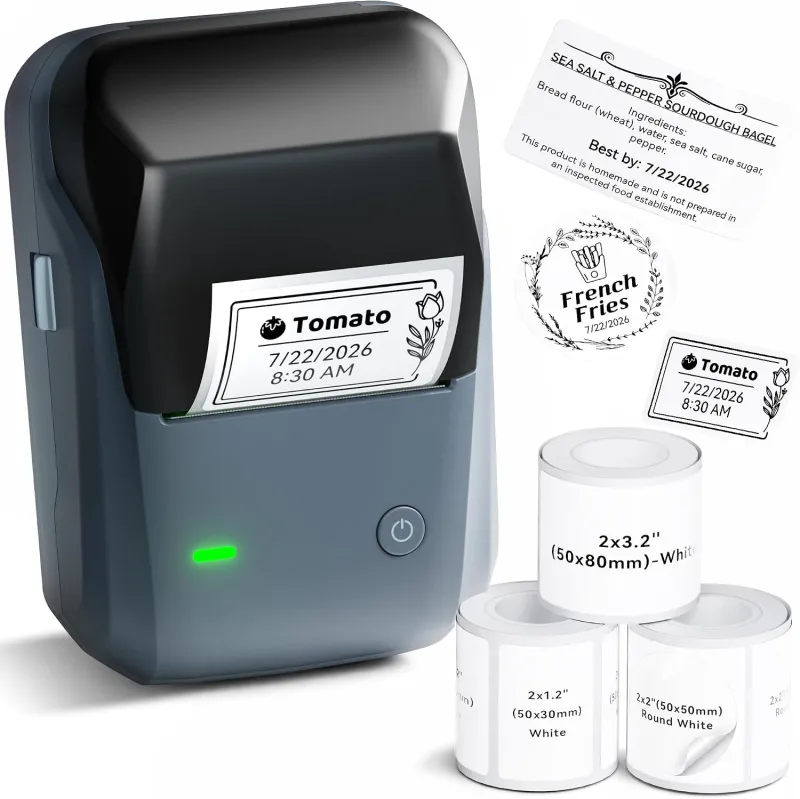
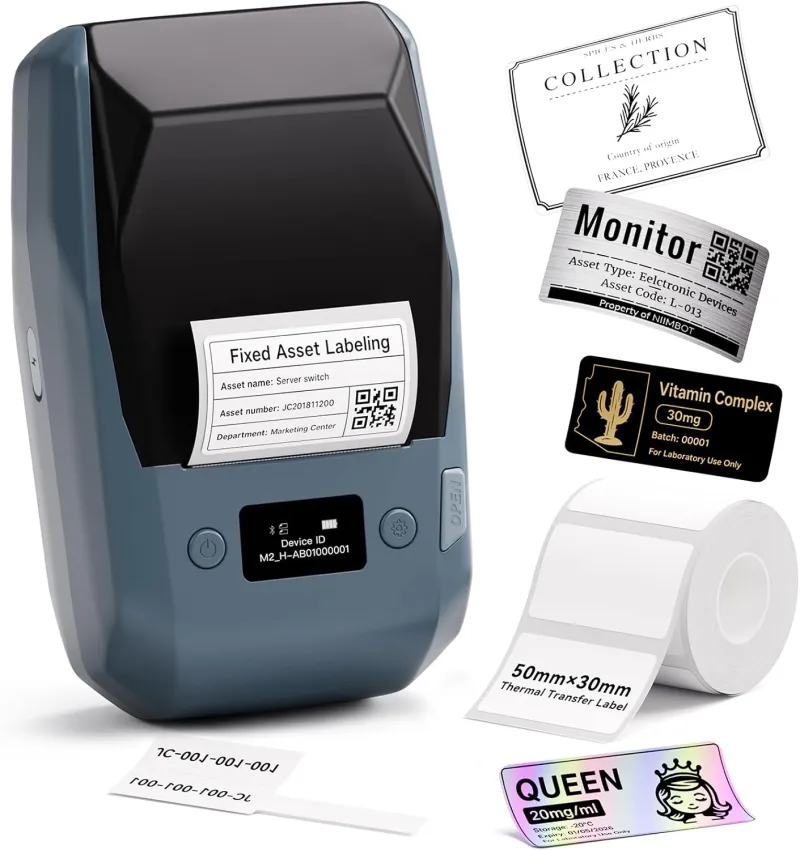
NIIMBOT M2 Label Maker with Tape 2Inch Thermal Transfer Label Printer, Blue
Key item features
- What are the differences between the M2 printer and the B1 printer?M2 is a thermal transfer label printer, which requires two consumables, label stickers, and ribbon so that the printed content is clearer and does not fade for a long time, It can be used in sun exposure or low-temperature freezing environments.How to use it on the computer?This M2 label maker supports USB connection for Windows 7/10, you need to download the drive and the NIIMBOT APP for Windows on the official NIIMBOT website.In addition to the black ribbon, are there any other colors of ribbon that can be replaced?Currently, there are black/gold/white/blue/green/red/and red-black ribbon, which can meet different color printing needs.How to improve print quality?Clean the print head with a swab regularly; Ensure full battery before printing; Upgrade firmware to the latest version; Remove any paper or debris from inside the printer; Adjust print density to an appropriate level for optimal printing.How to solve the offset of print label content?Please check if the label size matches the template in the app, or you can adjust the print offset via the APP editing function.300DPI Color Ribbon Printing NIIMBOT M2 Label Maker for Small BusinessNote:Thermal Transfer Upgrade Technology: NIIMBOT M2 bluetooth label printer adopts thermal transfer upgrade technology with 300 DPI
- Compared with thermal printers, labels can be stored longer, are waterproof, oil-proof, alcohol-proof, wear-resistant, and scratch-resistant, and can withstand high and low temperatures, solving the limitation of short storage time of thermal labels, you don't need to print and change labels frequently, saving time, effort and moneyWide Application: The M2 label maker machine comes with a roll of 50*30mm label paper and a black ribbon(color ribbon need to be purchased separately)
- One roll of ribbon can print 3 rolls of label paper
- It is used widely in office document classification, jewelry industry, school organizing management, essential oil labeling, garage tools, refrigerated food, medical identification, laboratory, and small businesses
Price when purchased online
GUARANTEED SAFE CHECKOUT


Shipping information
Standard shipping is $5.95 and free on orders of $39 or more after discounts. Orders ship within 1–3 business days; delivery usually takes 5–15 business days.
View delivery policyReturns & refunds
We accept returns within 30 days of delivery for unused items in their original packaging. Contact us with your order number to start a return.
Read our return policyNeed help?
Our support team answers every message within one business day.
Contact customer support- Maximum 1 item per order. While stocks last.
- 5-year warranty on all products
- Taxes and fees included
- Direct shipping from the US
About this item
What are the differences between the M2 printer and the B1 printer?
M2 is a thermal transfer label printer, which requires two consumables, label stickers, and ribbon so that the printed content is clearer and does not fade for a long time, It can be used in sun exposure or low-temperature freezing environments.
How to use it on the computer?
This M2 label maker supports USB connection for Windows 7/10, you need to download the drive and the NIIMBOT APP for Windows on the official NIIMBOT website.
In addition to the black ribbon, are there any other colors of ribbon that can be replaced?
Currently, there are black/gold/white/blue/green/red/and red-black ribbon, which can meet different color printing needs.
How to improve print quality?
Clean the print head with a swab regularly; Ensure full battery before printing; Upgrade firmware to the latest version; Remove any paper or debris from inside the printer; Adjust print density to an appropriate level for optimal printing.
How to solve the offset of print label content?
Please check if the label size matches the template in the app, or you can adjust the print offset via the APP editing function.
300DPI Color Ribbon Printing NIIMBOT M2 Label Maker for Small Business
Note:
Thermal Transfer Upgrade Technology: NIIMBOT M2 bluetooth label printer adopts thermal transfer upgrade technology with 300 DPI. Compared with thermal printers, labels can be stored longer, are waterproof, oil-proof, alcohol-proof, wear-resistant, and scratch-resistant, and can withstand high and low temperatures, solving the limitation of short storage time of thermal labels, you don't need to print and change labels frequently, saving time, effort and money
Wide Application: The M2 label maker machine comes with a roll of 50*30mm label paper and a black ribbon(color ribbon need to be purchased separately). One roll of ribbon can print 3 rolls of label paper. It is used widely in office document classification, jewelry industry, school organizing management, essential oil labeling, garage tools, refrigerated food, medical identification, laboratory, and small businesses. Suitable for label storage and classificationof labels under various harsh conditions indoors and outdoors, etc
Mobile and PC Editing: Smart bluetooth connection ''NIIMBOT APP'' to create personalized labels anywhere, can support 10 mobile phones at the same time (3 IOS, 7 Android), you can also connect to a computer via data cable(driver installation required)for more diverse content editing, can switch freely between the two ends
Support Printing with Color Ribbon: Multiple ribbons with various types of label paper, you can match it as you like to create the printing effect you want. The print width of 20-50mm, intelligent recognition of consumables, automatic paper rewind, and proofreading function are very good to help users save labels and time. The printing density is adaptive according to different labels, improving efficiency
Multiple Creative Templates: Wireless Bluetooth-connected APP NIIMBOT contains multi-industry templates, texts, Icons, tables, logos, barcodes, QR codes, images, time, insert Excel, Scan, Voice RECG, and more. You can easily create various design label stickers from the App. Supports batch printing of the same/different commodity labels, is easy to use, and is efficient
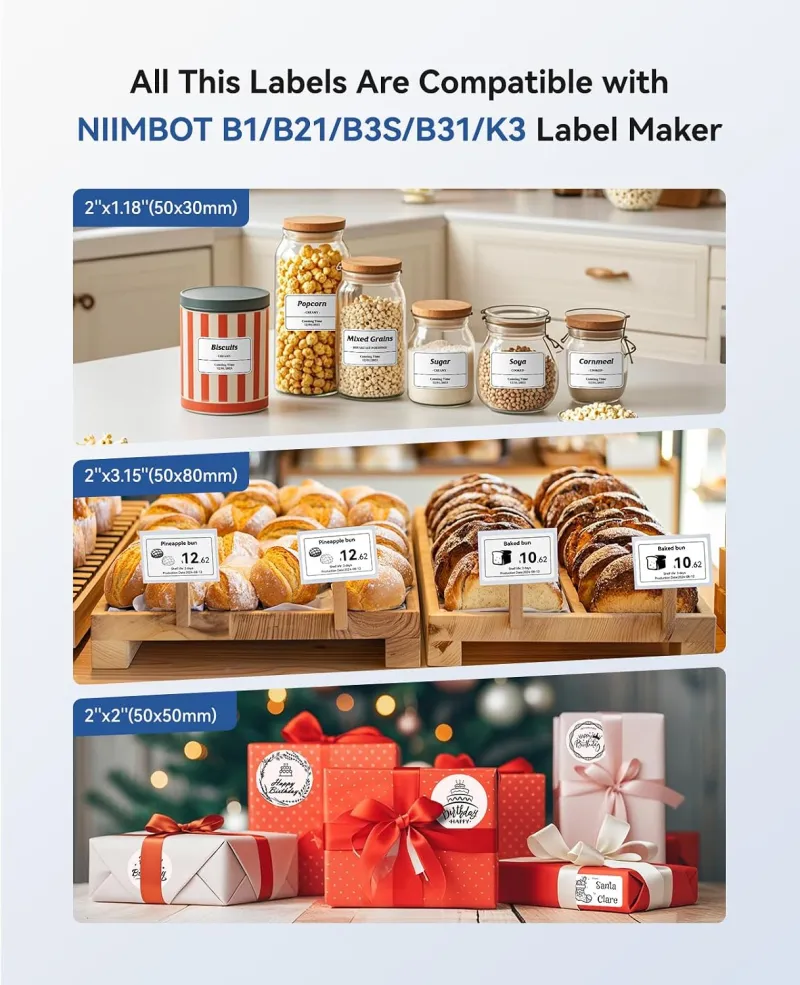
Compatible Label Note: The M2 label printer is designed only for M2-series thermal transfer labels. Standard thermal labels for NIIMBOT B1/B2/B21 are not compatible with M2 printer and will not print correctly. To ensure printing performance, please use genuine M2-series label rolls
Specifications
Full specifications are listed in the product description above.